00 / For small teams and owner-run businesses

Know the next task. See the plan behind it.

For small teams and people running their own business. A to-do list holds tasks. Yipadoo also holds the Goal, the Phase and the timeline they belong to.

Free while the beta lasts. We send one email to confirm.

01 / How it works

From the next task to the whole plan.

ORDERCHECKSENDBILLPLAN2 OF 5 DONE

Finish a task and it moves toward the milestone at the center. The plan stays in view the whole way: the Goal, the Phase and what is next.

  1. 01

    See what's next

    Open My work. Today, Upcoming, Waiting and Assigned to me are tabs on one row. Next task names the one to do.

  2. 02

    Plan the bigger picture

    Put the work on a Goal, then a Phase, then milestones. Planning draws every project on one Timeline.

  3. 03

    Write the task so it holds

    Give it a Game plan, what Done looks like, a size and a start date. Say what blocks it, or who you are waiting on.

  4. 04

    Capture it in one line

    Press Q. Quick Add reads the project, the date, the priority, labels and who it is for. Then switch the project between a list, a board and a calendar.

02 / Features

What you can actually do here.

Next task and Planning lead. The assistant is one part of the product, not the product.

  • Next

    Know what to do next

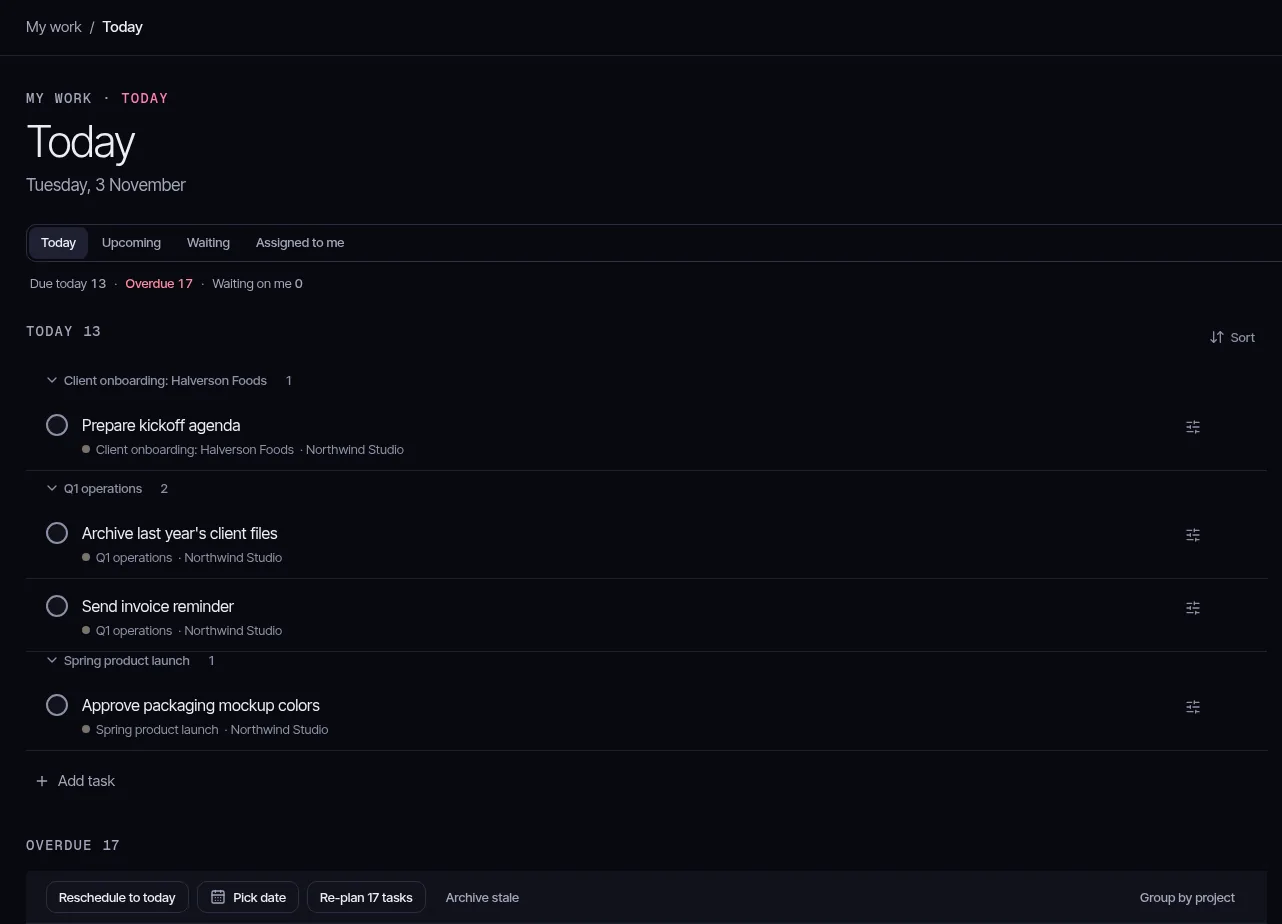
    My work holds Today, Upcoming, Waiting and Assigned to me. Next task puts your own work ahead of unassigned work, then overdue and due today, a deadline within a week, priority, the next milestone and smaller tasks. It skips blocked work, work waiting on someone, tasks that start later, and tasks assigned to someone else.

    Your own work first

    Due within a week

    Skips blocked work

    Today in My work for Northwind Studio, with onboarding, operations and the product launch.
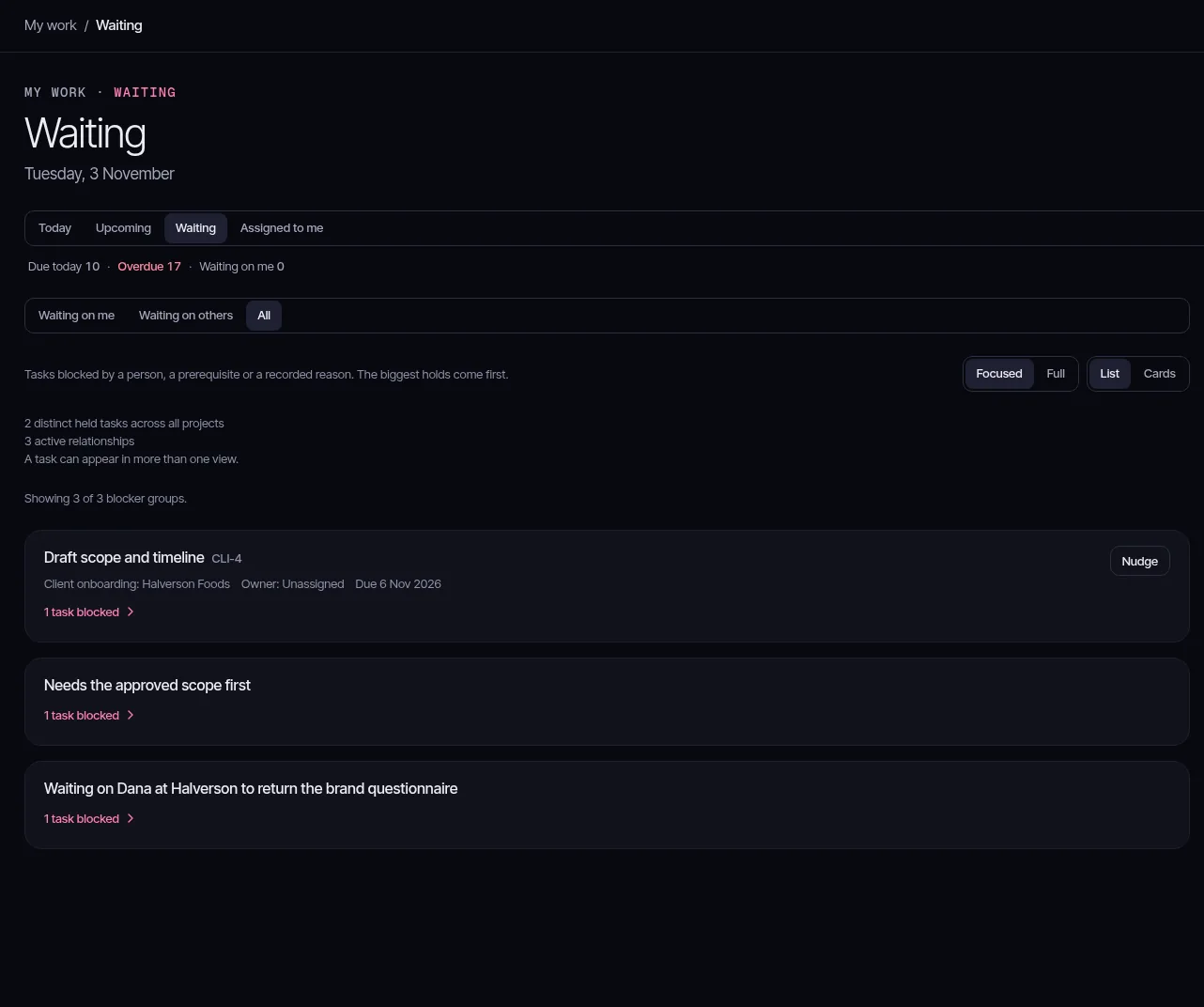
    Waiting in My work, with onboarding tasks blocked on a person or a prerequisite.
  • Planning

    Plan the bigger picture

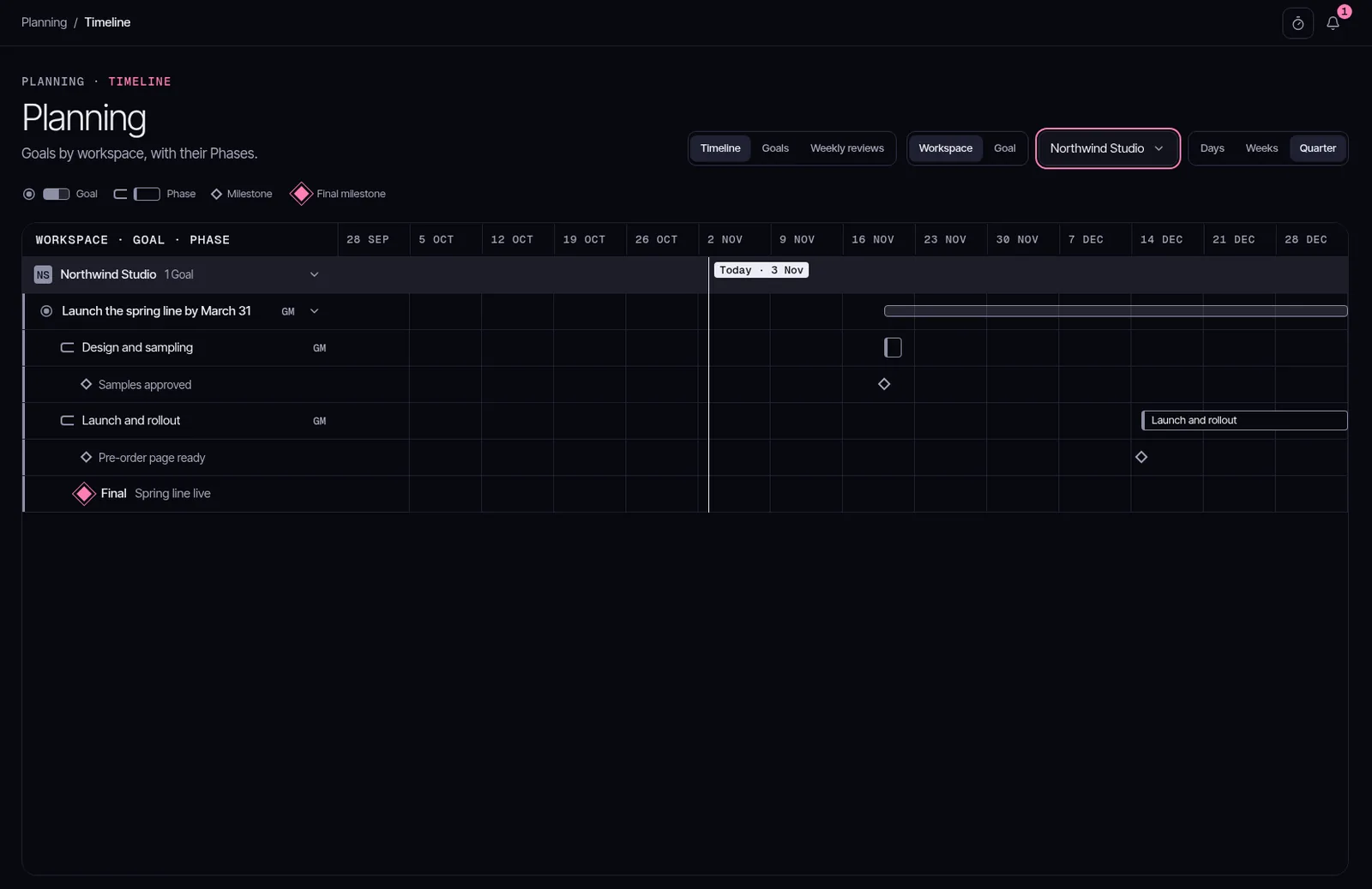
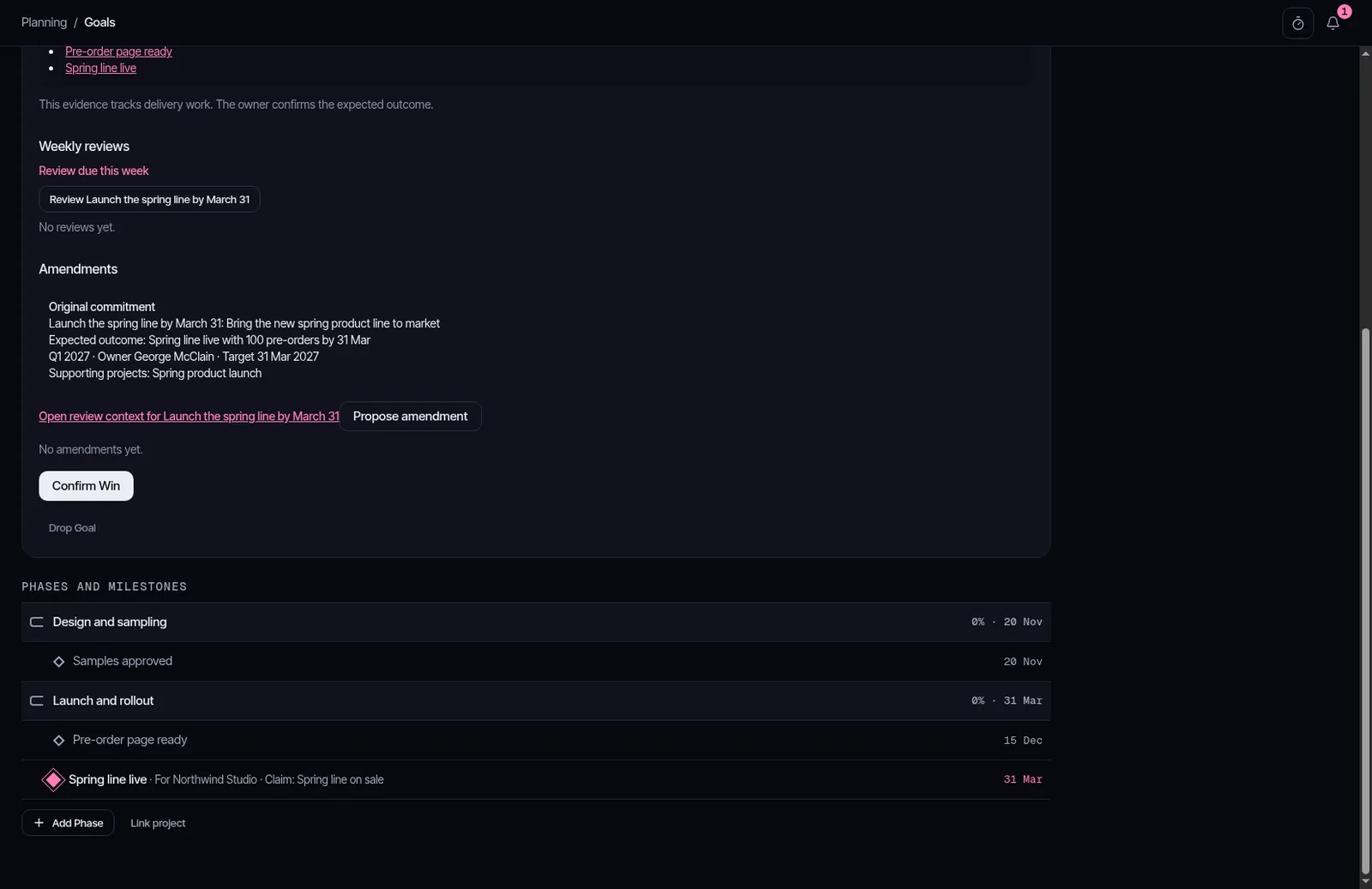
    A Goal holds Phases. A Phase holds milestones, and one Final milestone closes the Goal. Planning opens on the Timeline across every project, with Goals and Weekly reviews beside it. Save plan locks a milestone. Mark as final milestone names the Final milestone. On the Team plan, the Team view of Timeline flags an overloaded week.

    Goal

    Phase

    Final milestone

    The Planning Timeline for the Northwind Studio Goal and its Phases.Timeline
    A Goal for Northwind Studio, with its Phases and the Final milestone Spring line live.Goal
  • Tasks

    A task that holds the whole picture

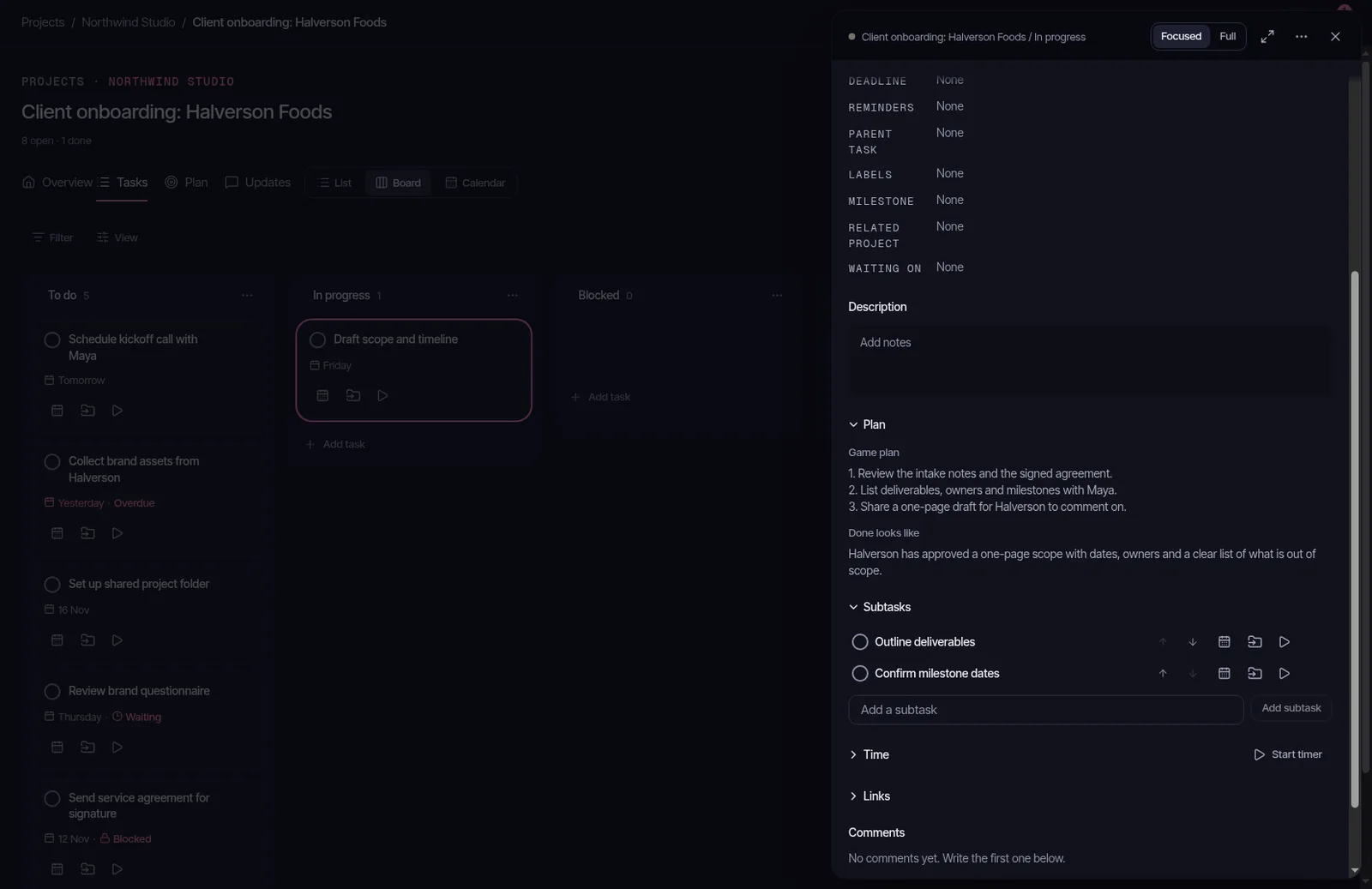
    Write the Game plan, and what Done looks like, before you start. Check the task off and How'd it go? is there for the outcome. Set a size and a start date. Name a blocker, or the person you are waiting on.

    Game plan

    Send the agenda, book the room, and name the owner.

    Done looks like

    The kickoff is on the calendar.

    A task open beside the board, with its Game plan and what Done looks like.Task
  • Workspaces

    A workspace is the business

    A workspace is one business. Admins, members and guests each see what their role allows. Your personal projects sit beside the workspace, not inside it.

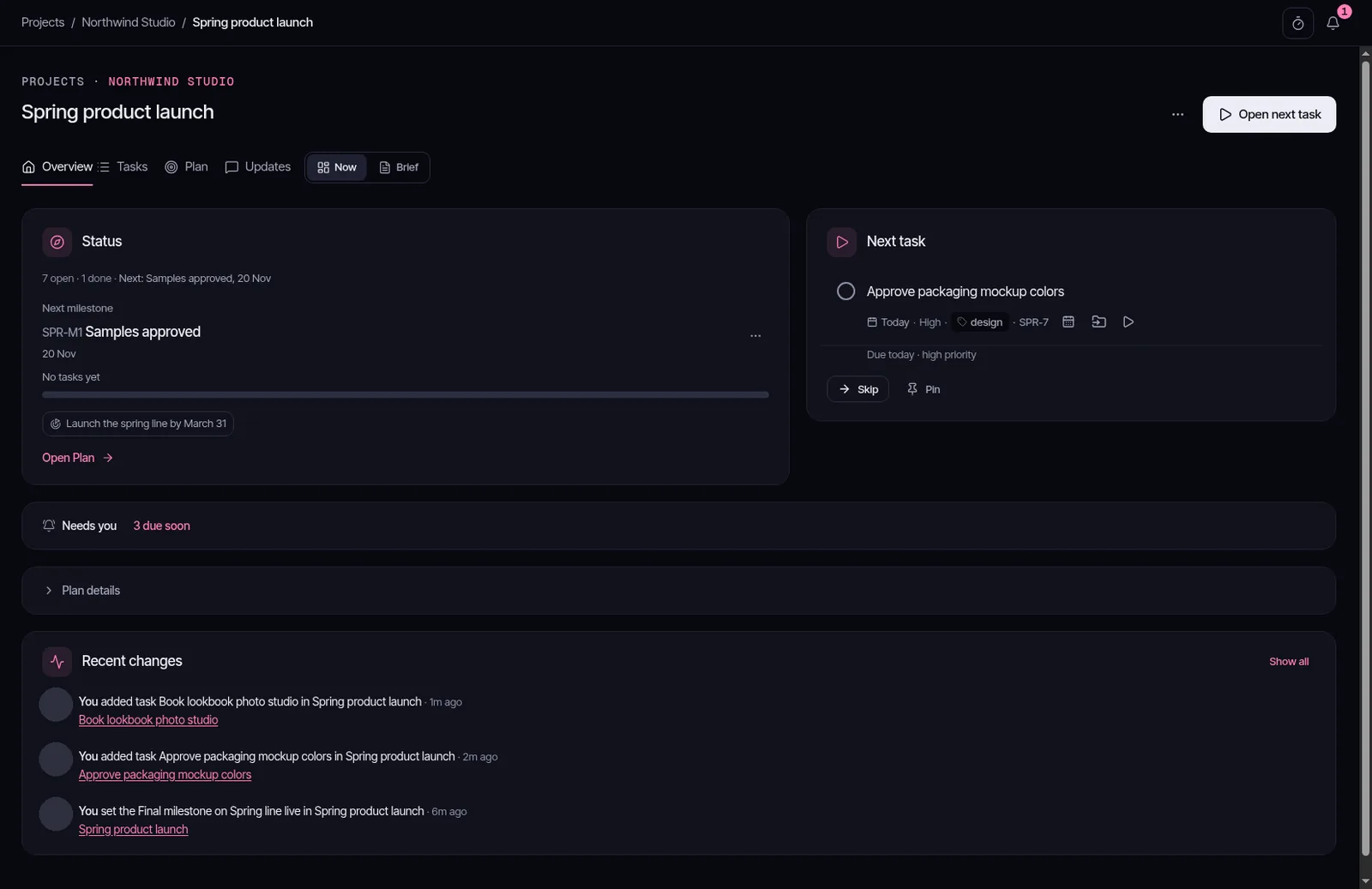
    The Spring product launch overview in Northwind Studio, with the next task and milestone.Overview

    01

    Admin

    02

    Member

    03

    Guest

  • Capture

    Capture it in one line

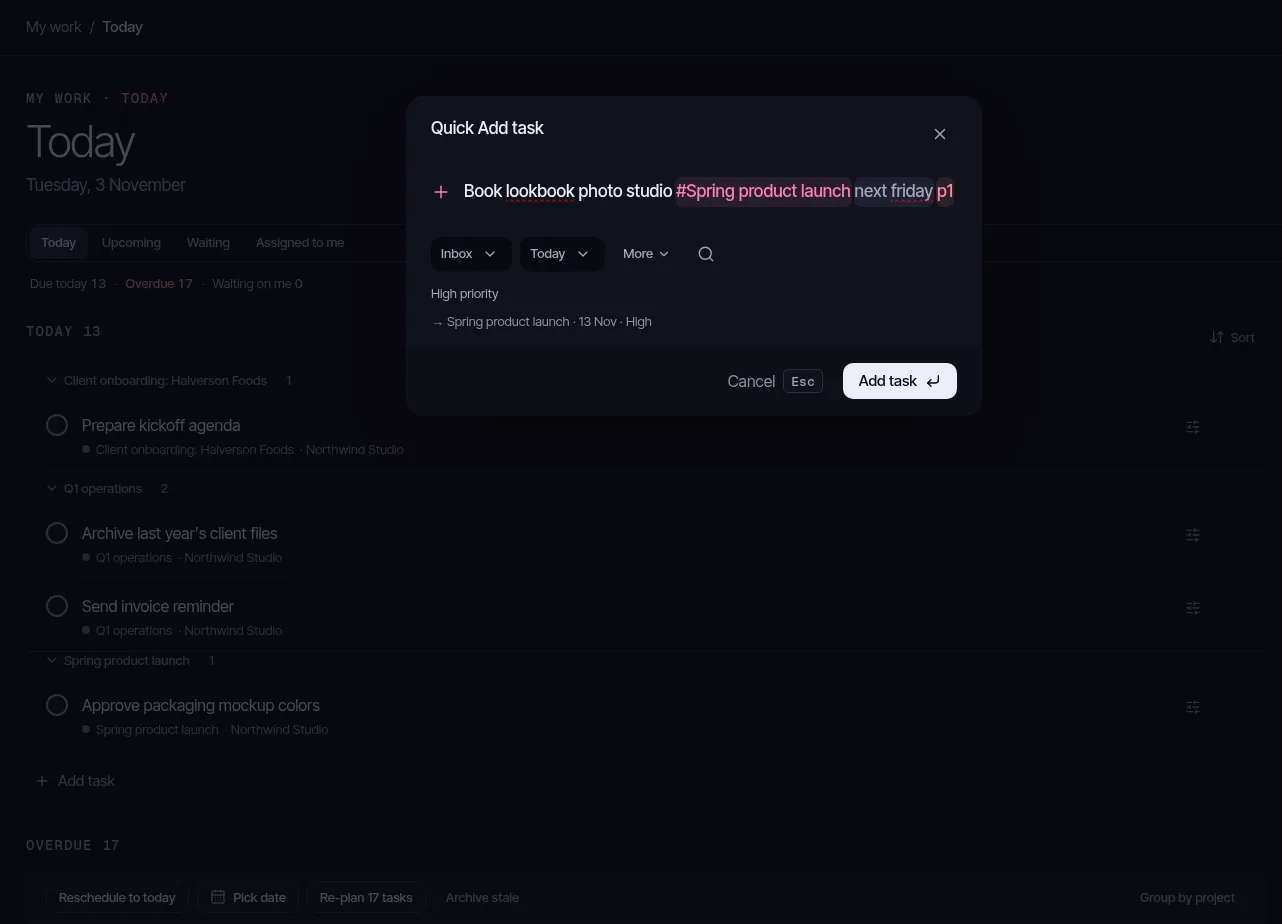
    Press Q and type. Quick Add reads the project, the date, the priority, labels and the assignee. Open a project as a list, a board or a calendar. Save a template, then start a project from it or add it to one you have.

    QBook kickoff#OnboardingFridayp1%launch+Sam
    Quick Add reading the project, the date and the priority from one typed line.Quick Add
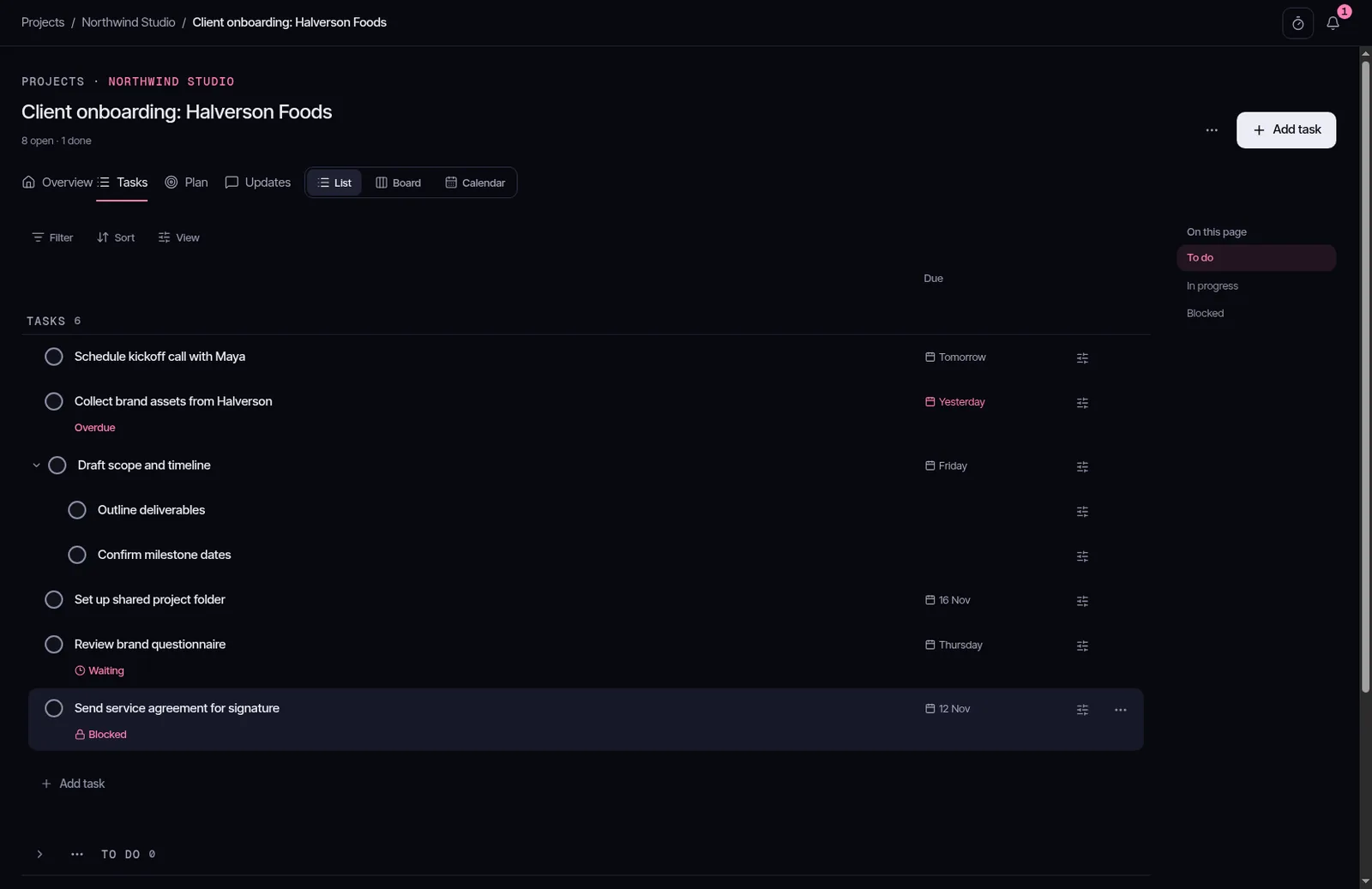
    The Halverson onboarding project as a list, with due dates and a blocked task.List
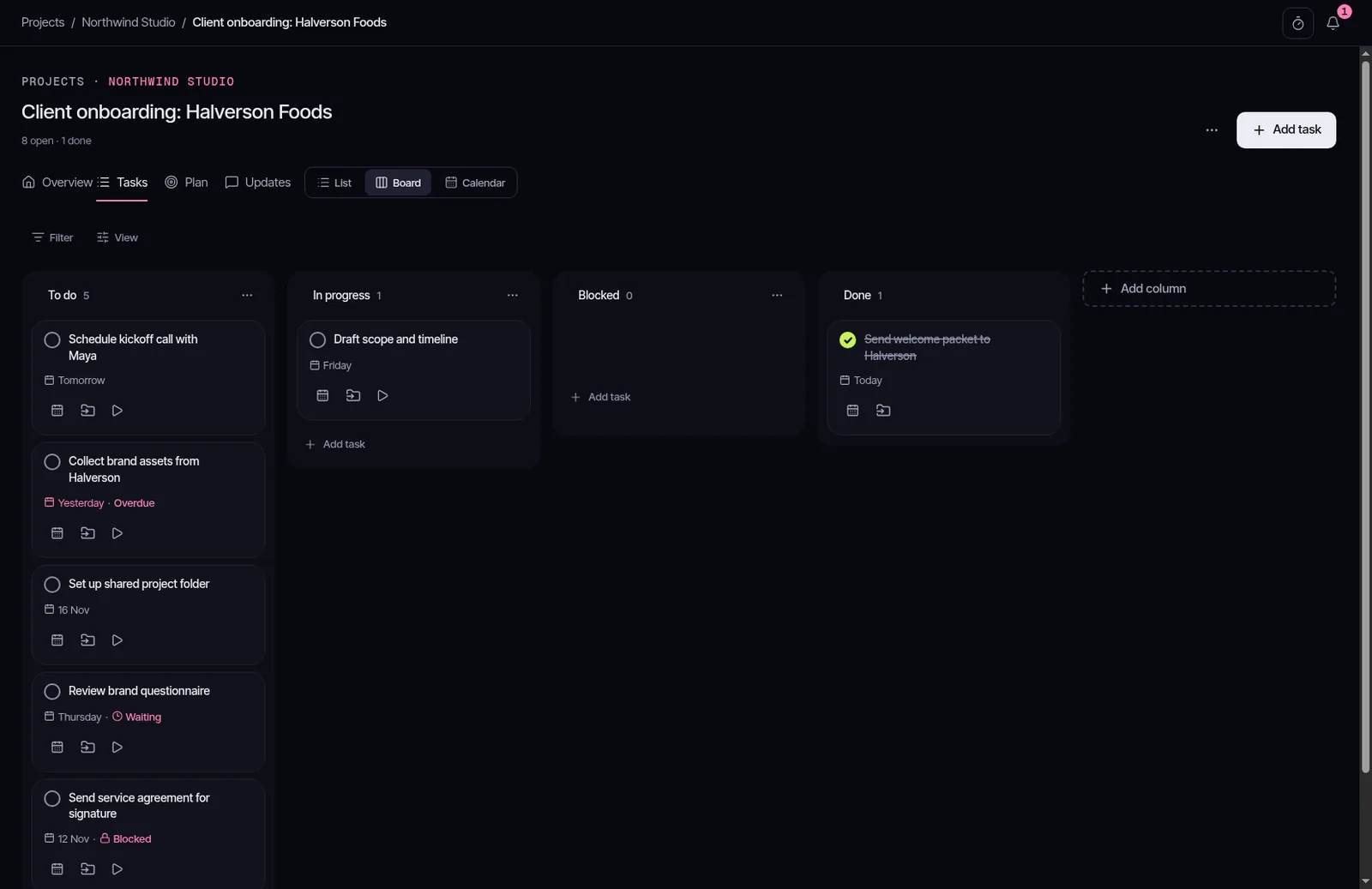
    The Halverson onboarding project as a board, from To do through Done.Board
  • Assistant

    Your assistant can work here

    Claude, ChatGPT or another assistant can work in Yipadoo through the open connector standard (called MCP). You set its level: read only, read and write, or also delete tasks and Phases. It acts as you, and it cannot do more than you can.

03 / The fun part

Do the thing. Get the ding.

Finishing work should feel like something. Every checked task gets a small burst and a ding. Finish a milestone and the confetti comes out. All of it switches off in Settings.

Check it off, hear "Yipadoo!"

The lime is saved for this moment. You only see it when something is done.

Focus round
Confirm the kickoff time

Focus timer

Yippee Timer

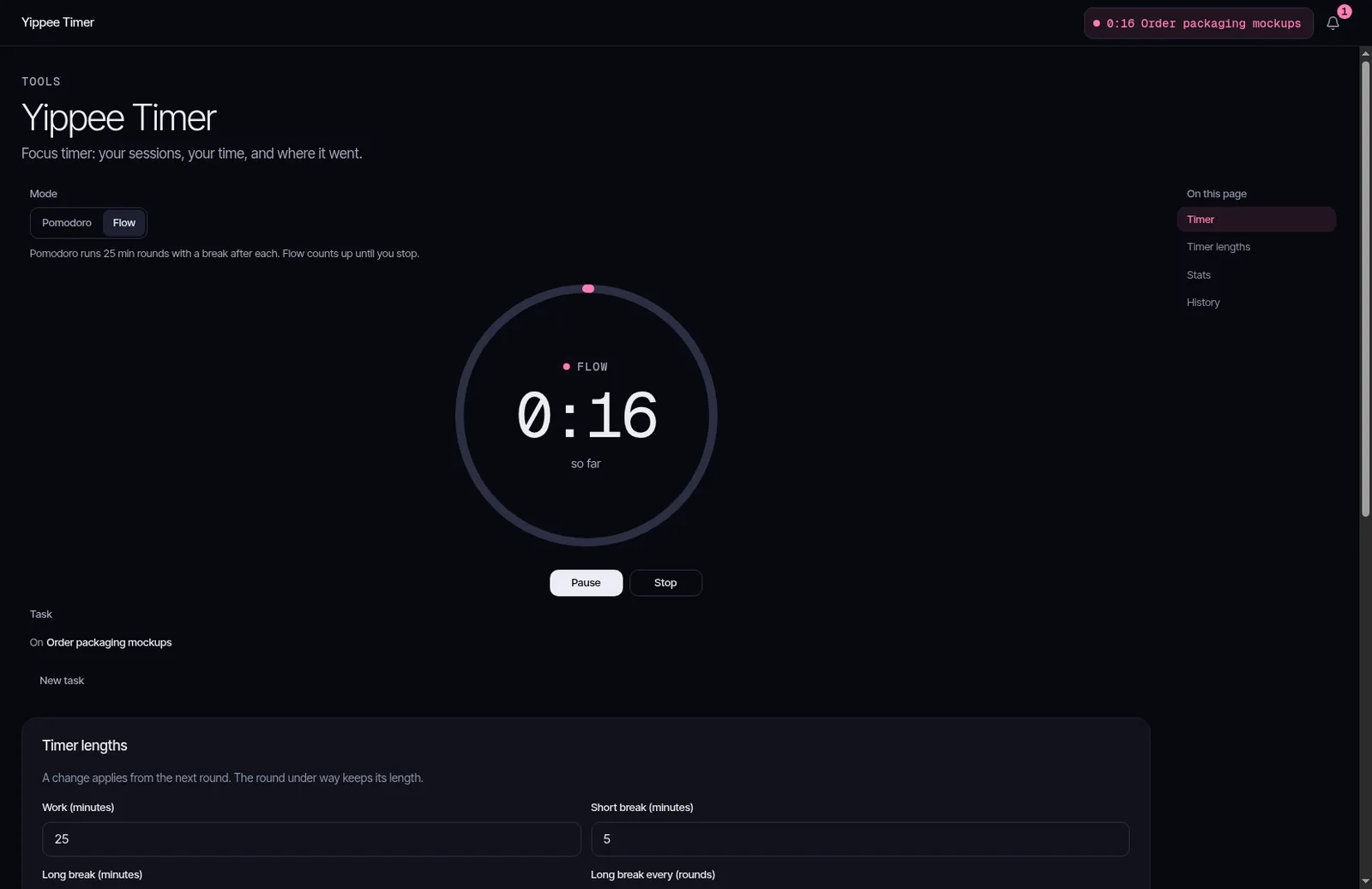
Pick your own work and break lengths. The time logs to the task you're on.

Settings / Timer and celebrations

Yipadoo moments
Surprise moments
Sounds

Yours to turn off

Quiet office? Mute the sound and keep the confetti, or switch both off.

The Yippee Timer in Flow, running on the packaging mockups task.Focus timer

Reading mode

A light mode for long days

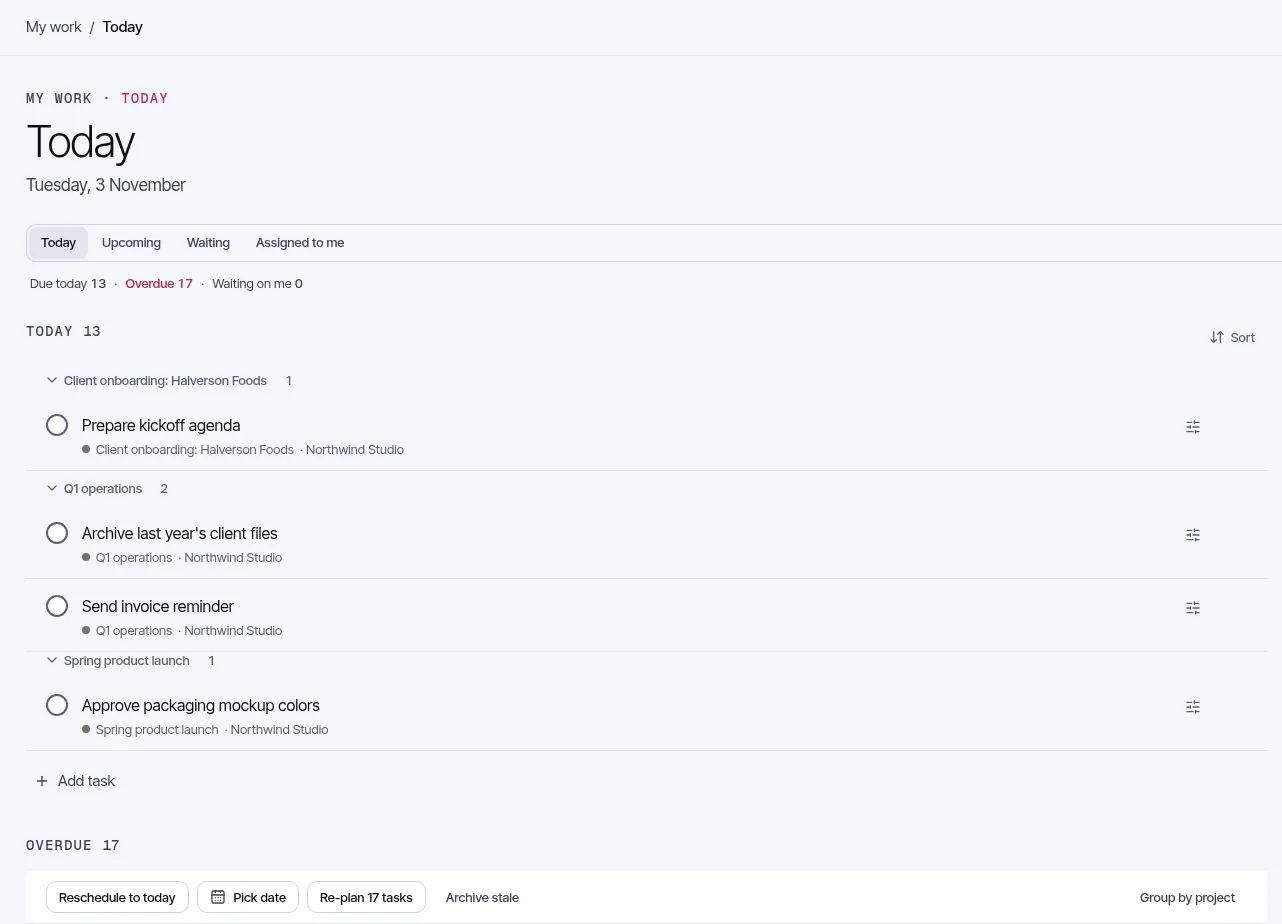
The app also has a light reading mode for bright rooms and long reading.

Today in My work, drawn in the light reading theme.Today, light

04 / Pricing

Free during the beta. Here's what comes after.

Nothing to buy yet. These are the planned plans for after the beta. Prices below are the launch prices, per person. Phone and tablet apps are planned, and every plan will include them.

After the beta

Free

For your own tasks and a first Goal.

$0

Always free

  • Inbox, Today and Upcoming
  • 5 active projects
  • 1 active Goal, with milestones and health
  • List and Board layouts
  • 3 saved filters
  • Reminders and Quick Add
  • The Yippee Timer, with 30 days of history
  • Share a project with 3 people
  • Join a team workspace as a member or guest
  • 500 MB of files
  • The assistant connector, unlimited

After the beta

Pro

For people planning bigger work, on their own or across several businesses.

$80 a year

or $8 paid monthly

Launch price. Standard: $90 a year, or $9 paid monthly, once the phone and tablet apps are out.

  • Everything in Free
  • Unlimited projects, filters and views
  • Up to 3 Goals a quarter for you, and up to 3 more in each workspace you run
  • Phases, Lock it in and Final milestones
  • The Timeline and Roadmap across every project
  • Calendar layout
  • Templates
  • Full history and a 30-day recycle bin
  • Share a project with 10 people
  • As many workspaces as you run on your own
  • Larger files and more space

After the beta

Team

For teams running work across projects.

$110 a year for each paid person

or $11 paid monthly for each paid person

Launch price. Standard: $120 a year, or $12 paid monthly, for each paid person, once the phone and tablet apps are out.

  • Everything in Pro
  • Invite people, with admin, member and guest roles
  • Team projects and Folders
  • Assign tasks and see Assigned to me
  • Team Inbox, with meeting notes that become tasks
  • Shared Contacts
  • Saved views for the whole team
  • Goals for the workspace and for each Area
  • Deadline alerts and digests
  • Guests are free, up to 5 for each paid seat
  • The assistant connector is unlimited on every plan, Free included.
  • Planned: anyone who subscribes before the phone and tablet apps arrive keeps the launch price until at least 12 months after they do.
  • Prices are per paid person, counted once across all your workspaces, and before tax.
  • Beta testers get every Team feature, free.

05 / Questions

Before you join.

What does the beta cost?

Nothing. Everything is free during the closed beta, and beta accounts get every Team feature.

Will the assistant connector be limited?

No. It is unlimited on every plan, Free included, and it can read, write and delete.

Will the phone and tablet apps cost extra?

They are planned and will be included in every plan. There is no date yet.

Who can join?

The beta is invite only. Leave your email and confirm it. We send invites from that list.

Can I turn off the sounds and confetti?

Yes. In Settings, under Timer and celebrations, switch off Yipadoo moments, Surprise moments or Sounds.

Who builds Yipadoo?

A small studio called BytesNation. See About below.

06 / About

Who makes Yipadoo.

Yipadoo is a BytesNation product. BytesNation is a small studio that builds tools for people who run their own work. Capstan, our planning tool, comes from the same team.

We use Yipadoo to run our own projects. The beta list is how we decide what to build next, so replies to our emails get read.

BytesNationCapstanYipadoo

07 / Closed beta

Get on the list.