
What is Yipadoo
Yipadoo is a task and planning app for one person or a small team, showing what to do next and the plan the work belongs to.
Yipadoo is a task and planning app for one person or a small team. You write work down, give it a date and finish it. When a job is bigger than a list, you lay it out as a plan and watch the plan move as the tasks get done.
Who it is for#
Yipadoo fits you if you run your own work or a small business and keep losing the thread between today's to-do list and the bigger thing it serves: a client delivery, a launch, the main outcome of your quarter. One person can use it alone on the Free plan. A team can share projects on the Team plan, with roles for admins, members and guests.
If all you need is a plain list, the task half is enough. You never have to open the plan half.
The two halves#
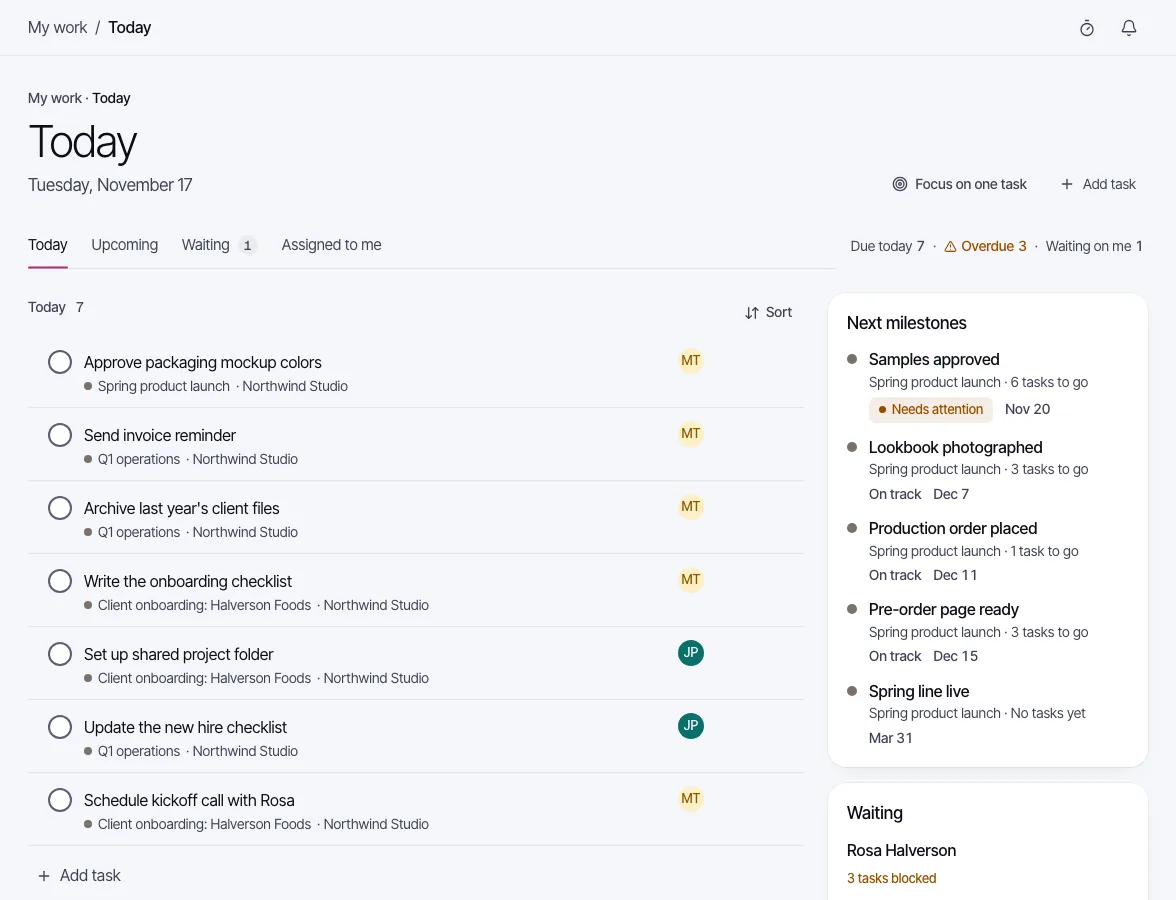
Tasks are the work you do. You add one from a single typed line, give it a date and finish it. My work gathers them by day: Today, Upcoming, Waiting and Assigned to me.
Plans are the reason for the work. A project holds milestones, which are checkpoints. Milestones can be grouped into Phases, and a Goal says which quarterly outcome those Phases deliver.
How tasks and plans connect#
A task can be linked to a milestone. A milestone is done when its linked tasks are done, so there is no separate box to tick. A Phase shows the progress of its milestones, and a Goal shows the progress of its Phases. When you finish a task, the plan moves.
Plans are optional. Tasks alone are fine, and you can add a plan to one project later without changing anything you already have.
The words you will meet#
| Word | What it means |
|---|---|
| Task | A piece of work you finish. It lives in your Inbox or in a project. |
| Project | A plan for one outcome. It holds tasks and, if you want them, milestones. |
| Milestone | A checkpoint in a project. It is done when its linked tasks are. |
| Phase | An optional ordered step that groups milestones inside one project. |
| Goal | A quarterly outcome, delivered through the Phases of your projects. |
| Final milestone | A milestone promised to someone: what they get, and who it is for. |
| Area | An optional part of a workspace, such as a client or a product. |
| Workspace | One business or team: its projects, people, Team Inbox and Contacts. |
Your personal projects sit beside your workspaces, not inside them. Only you see a personal project until you share it.
What a day in the app looks like#
- Open My work. It opens on Today, with the tasks dated today. Anything late sits under Overdue, with buttons to give each task a new date.
- Capture what comes up. Press
Q, type a line such asCall the supplier tomorrow p2, and pressEnter. It lands in your Inbox with the date and priority set. - Work one task at a time. Focus on one task shows a single task and says why it is next. The Yippee Timer can run on it.
- Finish tasks. Tick the checkbox. A toast offers Undo for five seconds.
- Sort the Inbox when you have a minute. Each task gets filed into a project, one at a time.
- Check the plan now and then. A project's Overview shows its next milestone and next task. Planning shows every project on one Timeline.
What is free and what is not#
Tasks, Inbox, projects and Quick Add are on every plan. Phases, Final milestones and the project Roadmap need Pro or a Team seat, as does saving and using Templates. Every new account starts with 14 days of Pro and no card, then moves to Free.